Chord Campfire
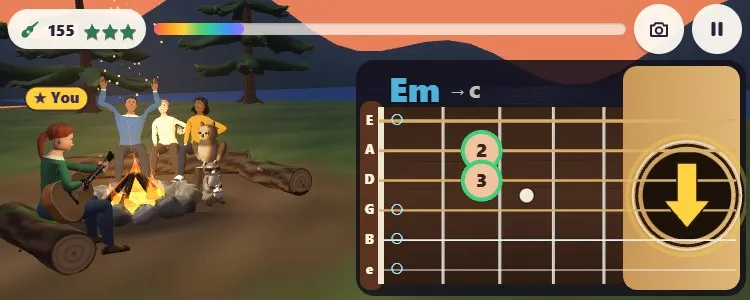
Learn real guitar chords by the campfire. Strum, and your friends sing along.
تُحمَّل اللعبة عند الضغط على «العب».
- مجاني
- بلا إعلانات
- لا حاجة إلى حساب
- بلا تثبيت — يعمل في متصفحك
عن اللعبة
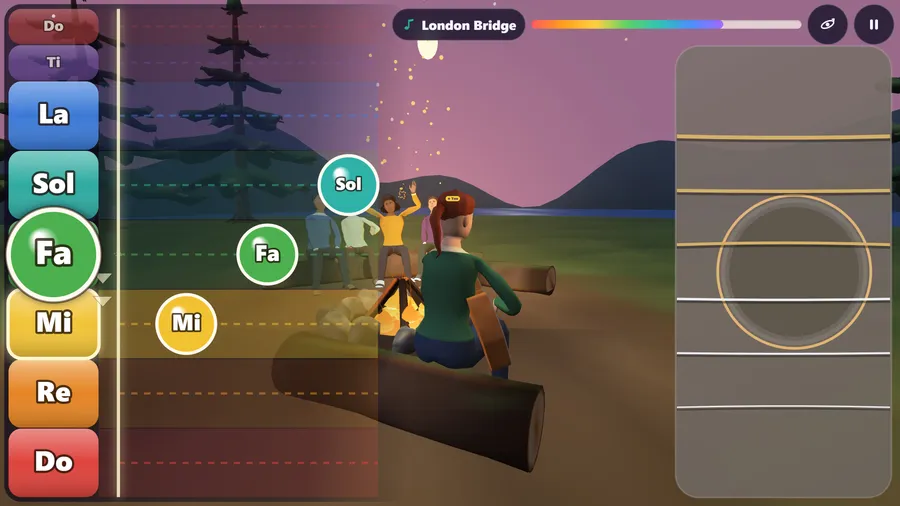
Play whole songs on a real-sounding guitar with two thumbs: your left thumb slides up and down the do re mi rows to meet each note as it arrives, your right thumb swipes the strings to play it. The song waits for you; nothing fails.
Evening at the lake. Everyone is round the campfire, and you have the guitar.
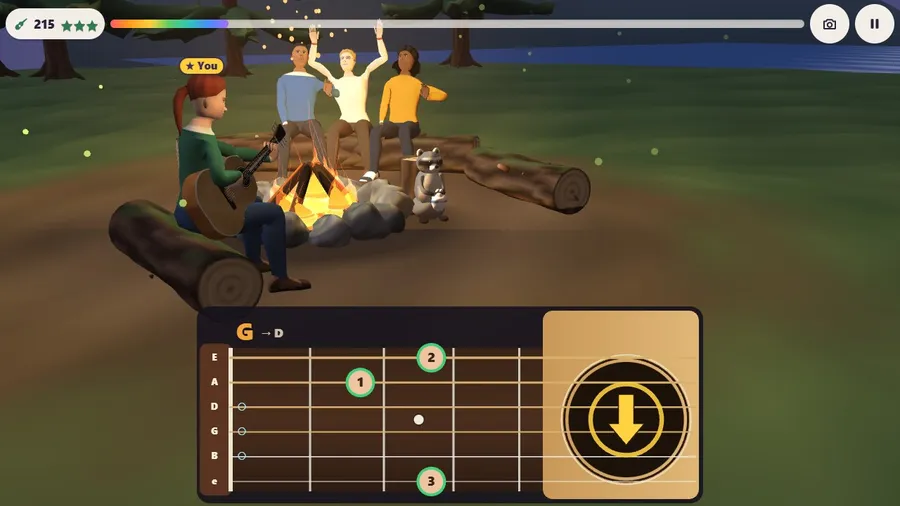
The bottom of the screen is the guitar, held sideways: the neck on the left, the round sound hole on the right.
Your left thumb plays the tune. Big round note spots sit on the neck, named do, re, mi, fa, sol, la, ti, each at the real string and fret that plays it. The next note glows: tap it and the real note rings and the string shakes. A different spot plays its own note softly, and the glow waits for you.
Your right thumb strums. The chords change by themselves with the song; little arrows flow into the sound hole in the song's rhythm, down and up. Swipe the strings and the whole chord rings out; strum on the arrows and your friends clap along. The last arrow is a gold star for the big finish.
Nothing is timed and nothing fails: the song waits for each note of the tune. Eight songs, all open: Mary Had a Little Lamb, Twinkle, Twinkle, Little Star, Row, Row, Row Your Boat, Frère Jacques, London Bridge, Old MacDonald Had a Farm, Jingle Bells and Amazing Grace. Each ends with "You played it!", how many strums landed on the beat, and Play it again. A Slow tempo switch is there if you want it.
The sound is a modelled acoustic guitar made for the game: a string model for every string, the wooden body and the clearing around you.
Play a duet with a friend online or on the same flight, taking turns at one campfire. 14 languages.
طريقة اللعب
- You are the guitarist by the campfire. Pick a song.
- Left thumb: slide up or down to the coloured note.
- Right thumb: swipe the strings up or down to play it.
عناصر التحكم
| اللمس | Touch: tap and drag on the screen. |
|---|---|
| الفأرة | Mouse: click and drag on the screen. |
| لوحة المفاتيح | Keyboard: supported on computers. |
| وحدة التحكم | Game controller: supported. |